



-


-
Business solutions
- How to check your site's position in major search engines
How to check your site's position in major search engines
Top-Inspector is the main assistant in solving the main tasks of SEO specialists, including how to check the position of a site in major search engines. The service was created in 2013 and remains in demand to this day.
Positions in the Top-Inspector service are checked daily and maintained in two search engines - Yandex and Google.
Main functionality of the service:
Daily check of site positions;
Up to 4 regions in one project;
Comparison of positions with competitors;
TOP calculation (3/10/30) with filtering option;
Import of words from Yandex Metrics and Google Analytics;
Position reports for any date (date comparison, period comparison);
Uploading reports to CSV and XLS;
Automatic sending of reports by e-mail;
Receiving data via API;
Referral program.
We know how difficult it is to check a site’s position in Yandex or Google, but Top-Inspector helps you check quickly and easily.
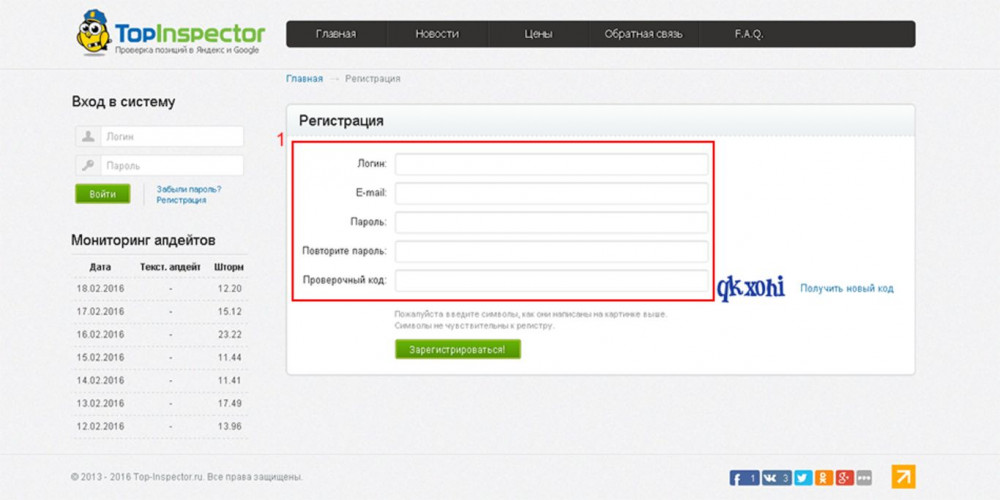
In order to start working with Top-Inspector, you need to register in the system. The registration form is completely standard. You will need to come up with a username, email and password.
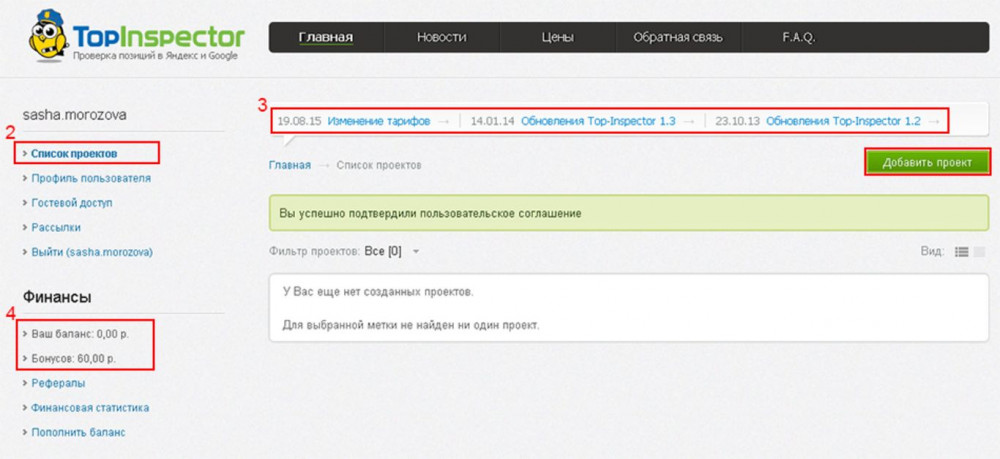
As soon as registration is completed, you will be taken to the “List of Projects” section. A bonus of 60 rubles is automatically added to the balance so that the user can try out all the functionality. This is enough to track a site’s position for 100 keywords in two search engines – Yandex and Google – for one region. You can view your account balance in the finance section. Next, click on the “Add Project” button and fill in the required fields.
Indicate the name for your project and below the domain of the site being analyzed. Next, the selected region for search is displayed. If there is more than one region, then using the (+) button you can add additional regions. Next, we determine how the search will be conducted: the phrase as is, an exact match, or an exact match excluding other options.
The next important step is to enter keywords in the text block. Pay attention to the note that asks you to enter a landing page for each keyword.
At this point, all the settings are completed and all that remains is to click the “Create” button to complete the generation of the project. All you will see in the next few hours is an information message that your project has been added to the queue.
Brief summary information is displayed for each project in the list. Here you will see how much each project individually will spend your money, brief information on the analyzed site: TCI, PR, how many pages in the search for each search engine and the age of the site. The graph displays a brief dynamics of changes in site positions in a convenient form.
How to find out a site's position in Google using TopInspector
On the “Positions today” tab of the project report, you can see a more detailed schedule. The information block shows all tracked keywords, landing pages and achieved results in each search engine.
The “Positions Archive” report tab allows you to view the results of position analysis for a specific date or compare them over different time periods. In the block that opens, you need to specify the necessary temporary settings and click the “Report” button.
In the “Competitors” tab, you can compare your site with your competitors’ sites. You can indicate up to 2 websites of your competitors, which is very small compared to other similar services.
In the “Mailouts” item in the side menu, you can set up automatic sending of SEO reports by email. Click the “Add mailing configuration” button and make all the necessary settings.
Unfortunately, you can only top up your balance in the system through the ROBOKASSA service, which is quite inconvenient and usually requires paying an additional commission.
If you need help with promotion on the Internet and the Google and Yandex search engines, AVSEO specialists will be happy to help improve your performance and bring your site to the TOP of search!
ANY QUESTIONS?