



-


-
Business solutions
- How to get into Google's answer box
How to get into Google's answer box
Highlighted descriptions, or featured snippets, are individual pieces of information that typically appear at the top of Google's search results. They answer a query by pulling relevant content from the pages that rank at the top.
You might argue that highlighted descriptions only hurt the site from which the content is taken. Users immediately see the content in the search engine and may stop going to the site itself, right?
Yes and no. Check out this example:
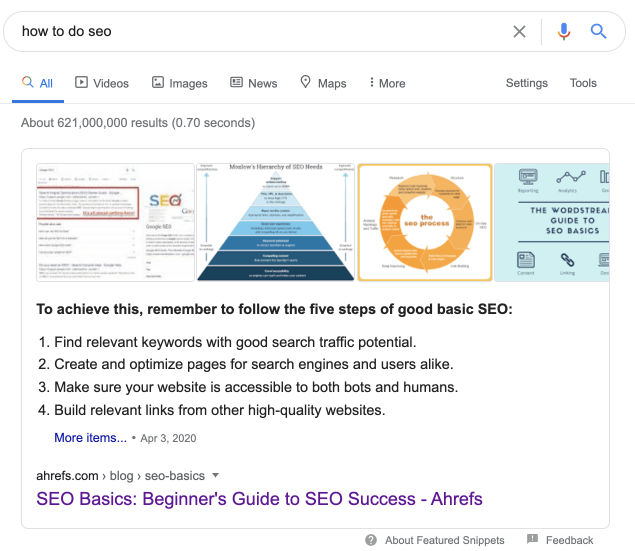
Search Engine Optimisation on Google
If this question could be answered in a few sentences, most of us would be out of a job. Even though the ovtet block conveys the most basic things, you still have to click to learn more.
And that's just one example. Highlighted descriptions are one of the most well-known blocks in the giveaway and they're only evolving over time.
What are the different types of highlighted descriptions?
It's important to know what type of answer block Google shows for the search queries you want to rank for. There are a few different types:
Paragraph
Numbered list
Labelled list
Table
Video
Paragraph
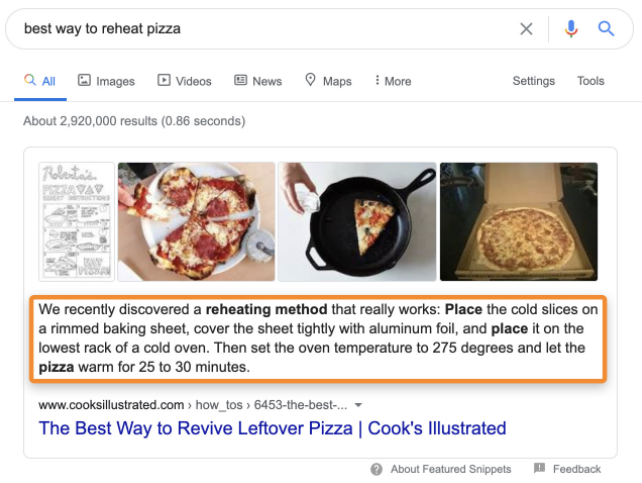
Numbered list
Labelled list
Table
Video
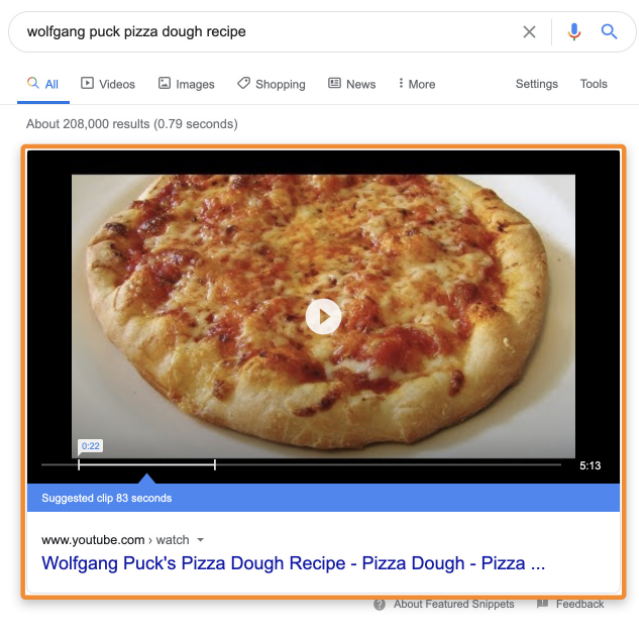
It's also important to note that there are other blocks similar to these snippets. You need to know about them so you don't get confused:
Knowledge Blocks
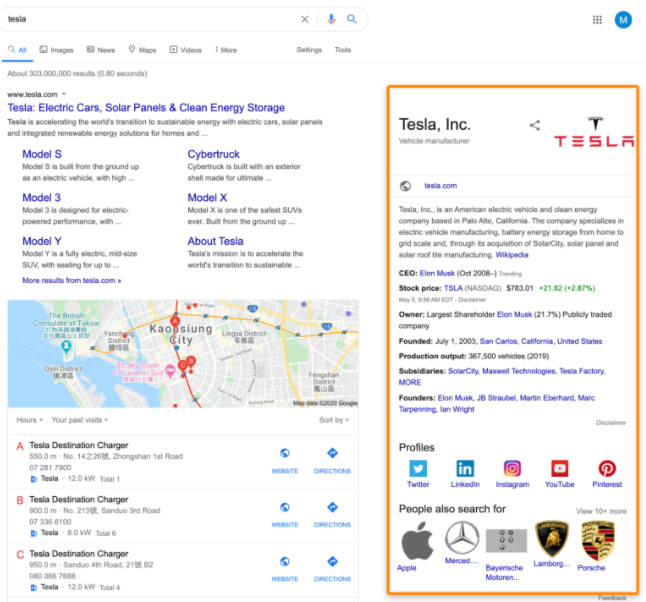
Knowledge Card
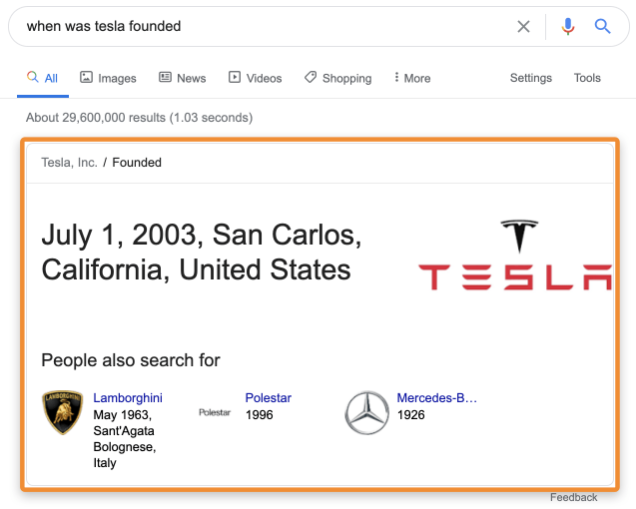
Knowledge Network Object Carousels
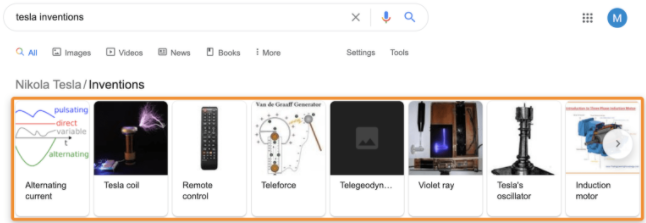
These three blocks have one thing in common. They don't pull answers from any one top result because they are based on Knowledge Network (or Knowledge Graph) objects. And while they sometimes contain a link to the source (song lyrics, for example), it's not in the form of a title, as is usually the case with answer boxes.
How answer boxes affect search and SEO
Google introduced answer blocks in 2014 and we'd say it's one of the most notable changes to search results in the last decade. Highlighted descriptions have changed a lot for users and SEO professionals alike.
A shortcut to the organic tops
If your content is ranking on the first page of search results for a query that has an answer block, you can "hijack" that snippet and shorten the path to the first positions. Let's break it down.
According to research, answer blocks appear for sites that are already in the top 10. What's more, most of the highlighted descriptions are taken from sites that rank in the first five positions.
Conclusion: the higher your content is ranked, the more likely it is to appear in an answer block.
Getting to the first page of search results is easier than getting to the first position for a query. But if the query has an answer box, getting to the top 1 becomes a little easier.
Less clicks... Sometimes
Many SEO experts believe that highlighted descriptions reduce the number of clicks in search results. After all, if the answer to the query is already in the output, why click on the result?
While this is sometimes true, it doesn't apply to all queries. It all depends on whether Google can provide a satisfactory answer in the snippet.
The answer has already been given. You don't need to look for additional information anymore.
And this is most likely the reason why only 23% of users click on search results for a single query.
And in other cases, even though the results give a short answer, most users will want to know more.
That's probably why about 74% of users click on the results of another search.
From all of this we can conclude that you should not choose keywords with low Clicks Per Search (CPS).
Pay attention to this when selecting queries in the Keyword Analysis Tool.
Answer boxes as a great branding opportunity
Let's leave clicks behind. Answer boxes are the first thing users see in search results. On mobile devices, they're even more prominent. Often such a block takes up the entire first screen:
This is a very strong argument in favour of highlighted descriptions.
Increasing share of voice in search results is perhaps the most important SEO metric. Because it's proven that brand building is the primary driver of long-term growth.
The more your brand is visible in search results for relevant topics, the stronger the associations about you as a market leader will be.
Answer boxes are no longer duplicating sites from the listings
In our research, we made sure that answer blocks always got more clicks. But that was in 2017. In January 2020, Google stopped duplicating pages from the rendition in an answer block.
In the past, if a page made it into an answer block, it stayed in the regular blue-links rendition. This has now changed. If your page falls into the highlighted description, it disappears from the "normal" rendition.
Despite the fact that this change has reduced traffic to pages that fell into the answer blocks, in general the amount of traffic has not dropped much. At least, that's what Kevin Indig's study claims.
You can do away with highlighted descriptions (although you shouldn't)
It was only a matter of time before someone did an experiment abandoning highlighted descriptions after removing duplicate pages from the rendition. Cyrus Shepherd was the first and found that doing away with the answer block resulted in a 12% loss of traffic.
However, if you still want to opt out of highlighted descriptions, Google gives a few options on how you can do it. But keep in mind that some of the ways can block content from showing in regular snippets as well. We don't recommend using them because Google will then only be able to use the title tag and meta description.
The easiest way to remove a page from the reply block is to put in the robots max-snippet meta tag. This tag specifies the maximum number of characters Google can display in text snippets.
Highlighted descriptions are usually no longer than the descriptions in normal snippets, so you can set a limit on the maximum number of characters in the description. This is around 155-170 characters.
You just need to paste this code into the <head> of the page you want to remove from the reply block.
<meta name="robots" content="max-snippet:170" />
Note that according to Google, this method does not guarantee that your site will drop from the highlighted description. To be sure, use stricter methods: the robots nosnippet meta tag or the HTML data-nosnippet attribute.
How to find and optimise answer blocks that you already own
You won't see any information about highlighted descriptions in Google Search Console. For that, you need to use third-party tools. Such as Ahrefs Site Explorer.
Insert your site and go to the Keywords report to see what keywords your site is ranking for. Then filter out only those queries that Google shows answer boxes for your site.
However, don't think you can do anything you want with the snippet.
You may come across answer blocks that you can tweak a bit. But I wouldn't advise editing anything unless Google is pulling misleading, incorrect or poorly formatted information like in the example above.
It's better to stay with a non-ideal highlighted description than to risk it and lose it to a competitor.
How to get more answer blocks
Getting more reply blocks will easily increase your organic traffic. Below, we'll discuss a few ways you can do this.
Use content that you already have and that is already ranking
You have to make sure that the content has information that can be taken for the snippet. And it should be presented in a way that Google can easily sparse, understand and pass it on.
Create new content with response blocks in mind
You shouldn't create content just for the sake of hitting an answer block. You need to choose keywords that are in demand and relevant to your business. And if your content gets a highlighted description, that will be like the cherry on the cake.
However, when creating content it's worth considering answer blocks.
For example, let's say you have a food blog and you're going to write a post on how to make pizza dough. You can use the same filters from Site Explorer in the Keyword Analysis Tool to find potential opportunities to hit the answer block.
Remember the 'rules' for 'capturing' the answer block and apply them when creating and optimising your posts:
Properly format and structure content (H1-H6, etc.)
Avoid overly complex sentences. Short explanations are better.
Use the language your audience speaks. After all, Google uses answer boxes as answers for voice search.
Use the Inverted Pyramid method (where it makes sense).
How to keep track of your answer blocks
Getting a highlighted description is the same as ranking in the first position for a query. You may already be tracking positions, so let us extend the tracking to answer blocks. Refer to Rank Tracker.
Here's what to look out for:
The number of highlighted descriptions you already have (and approximate changes over the selected period);
The number of all answer blocks for queries you're tracking (and changes over the selected period);
The percentage of all queries with answer blocks that you already have (for example, if you are tracking 100 queries with answer blocks and it costs 10%, you have 10 answer blocks);
A graph that shows your progress over time.
Now you know everything you need to conquer the tops with your highlighted descriptions. The AVSEO team is confident that from now on you will have more green positions than red ones.ANY QUESTIONS?